What Is a Document Management System? A Real Estate Buyer's Framework
A practical six-capability test for deciding whether your file system is a true DMS, with SharePoint, cloud storage and ECM compared.
Published September 7, 2026 · By ARC-Files · 22 min read
Published: September 7, 2026 | By ARC-Files
A document management system is software that controls documents through structured metadata, version history, permissions, search, audit activity, and lifecycle rules rather than merely storing files. A useful DMS lets an organization identify the authoritative document, retrieve it by business attributes, control who can change it, and govern what happens to it over time.
That definition is more useful than a long feature list because many tools can store, share, and search files. The harder question is whether the system actually controls documents well enough to remain dependable when the organization grows, employees leave, records age, and an audit or transaction forces someone to find the right file quickly.
Key Takeaways
- File storage and document management overlap, but they are not the same thing.
- A practical DMS should pass six tests covering metadata, versions, retention, audit history, permissions, and attribute-based retrieval.
- SharePoint can function as a DMS, but several capabilities depend on how SharePoint and Microsoft Purview are configured.
- Google Drive, Dropbox, Box, and similar platforms can provide DMS-like capabilities, especially at enterprise tiers, but ordinary cloud storage should not automatically be treated as a governed DMS.
- Software cannot repair unclear ownership, inconsistent filing behavior, or bad upstream processes by itself.
Document Management System, Defined
AIIM defines document management as the use of systems and software to store, manage, and track electronic documents and scanned paper information. AIIM also identifies capabilities such as check-in/check-out, version control, rollback, security, and audit trails as common document-management functions.
That definition is broad.
For a buyer deciding whether an existing repository is sufficient, a stricter operational definition is more useful:
A document management system is a controlled repository in which documents have identity, history, access rules, retrieval attributes, and lifecycle controls that remain meaningful independently of a user's folder structure.
This buyer's definition is not an ISO certification test. It is an evaluation framework designed to expose the difference between storing files and governing them.
ISO 15489-1 supports the underlying distinction by treating records management as more than storage. The standard addresses records, metadata, records systems, responsibilities, business requirements, controls, and the processes used to create, capture, and manage records over time.
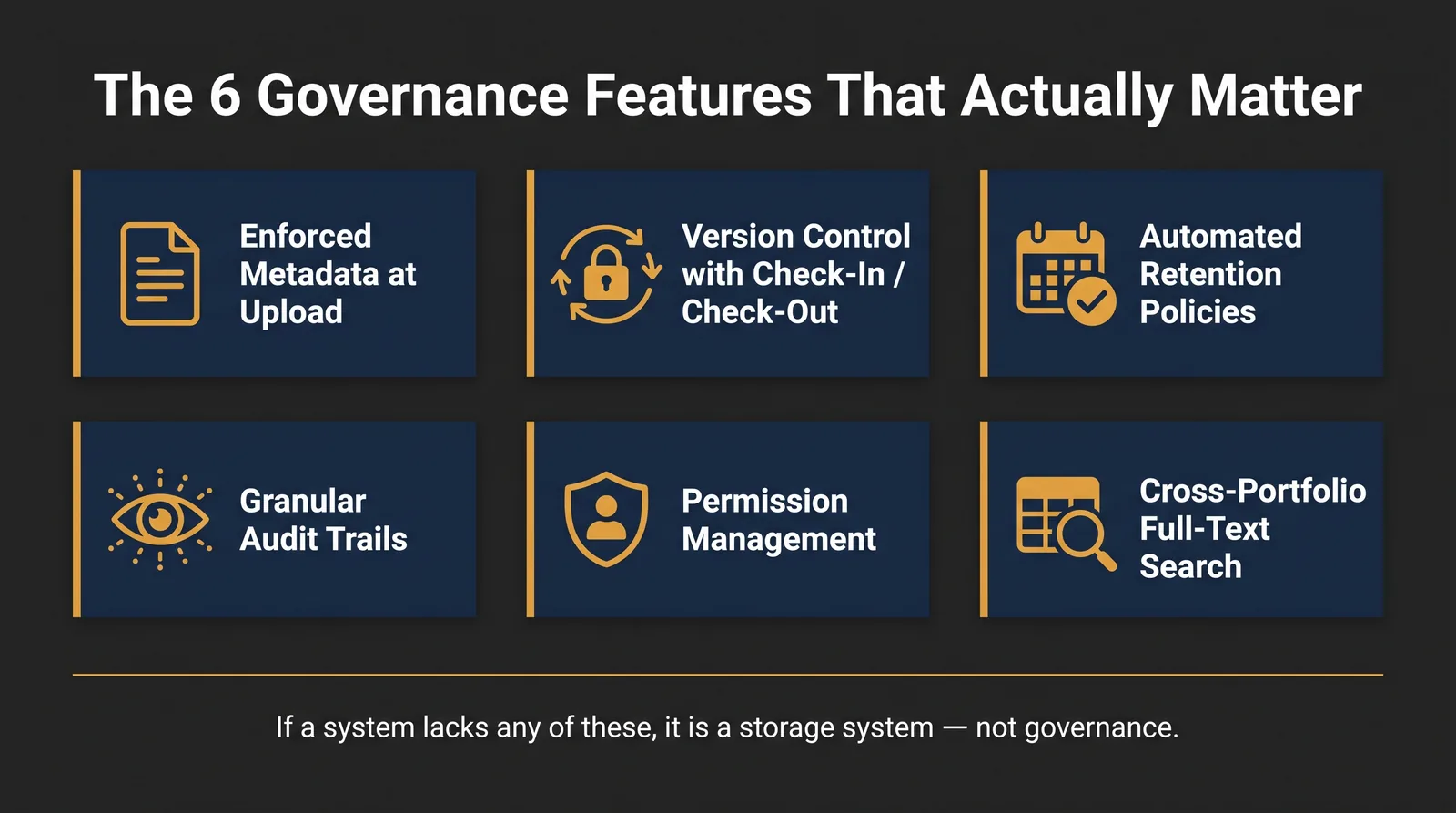
The Six-Capability Test for a Document Management System
Instead of asking whether software has a "document management" page on its website, test whether the environment can reliably do these six things.
1. Enforce Metadata at Upload
A DMS should be capable of requiring business information about the document.
For a lease, that might include:
- property;
- legal entity;
- tenant;
- document type;
- agreement ID;
- execution date;
- status.
The distinction is enforce. If employees can upload 10,000 files named scan001.pdf without adding any context, the system may store metadata but is not exercising meaningful document control.
SharePoint content types can include columns representing document metadata, and Microsoft allows those columns to be configured as required fields.
2. Maintain Protected Version History
A DMS should preserve document lineage well enough to answer:
- What is the current version?
- What came before it?
- Who changed it?
- Can an earlier state be recovered?
- Can required historical versions be protected from ordinary deletion?
AIIM identifies version control and rollback as core document-management capabilities.
SharePoint supports version history and records when files changed and who changed them. However, ordinary SharePoint version history should not be described as automatically immutable. Microsoft allows version limits and version trimming, while content subject to certain retention policies, eDiscovery holds, or record controls receives additional protection.
The buyer's test therefore asks for protected history appropriate to the record, not simply a "Version History" button.
3. Apply Retention Independently of Folder Location
A retention rule should follow what the document is, not merely where somebody saved it.
A lease amendment should not suddenly lose its retention treatment because an employee moves it from /Leases/Amendments to /Legal/Old Files.
A strong DMS or connected records-management layer can classify retention using document attributes, labels, record types, or business events.
Microsoft Purview retention labels can be applied to SharePoint and OneDrive documents and can declare content as a record where appropriate.
4. Produce an Audit Trail of Access and Change
A DMS should provide enough activity evidence to investigate what happened to a document.
Depending on the system and license, useful events can include:
- creation;
- editing;
- sharing;
- deletion;
- download or access;
- metadata change;
- retention-label change;
- permission change.
The requirement is not that every system logs every imaginable action forever. The requirement is that administrators can reconstruct meaningful document activity according to the organization's audit needs.
Microsoft Purview provides SharePoint and OneDrive audit records, with retention periods varying by license and audit configuration. Google Workspace likewise provides Drive log events for many actions such as create, edit, rename, delete, upload, download, and sharing activity, although Google explicitly notes that not every Drive activity is logged.
5. Enforce Permissions Below the Container Level
A file should be capable of having access rules different from the folder or library containing it when the business requirement justifies that exception.
SharePoint supports unique permission scopes at file and folder level. Microsoft also recommends controlling the number of unique scopes because excessive fine-grained permissions add administrative and performance complexity.
The capability matters. Using unique permissions on every file usually does not.
A well-designed DMS combines role-based access at sensible container levels with document-level exceptions where confidentiality or legal requirements demand them.
6. Retrieve by Attribute Rather Than Path
This is the capability that exposes most weak repositories.
A user should be able to search:
Property = 220 Main
Document Type = Lease Amendment
Tenant = ABC Corp
without knowing that someone filed the document under Midwest / Closed Deals / Old Tenants / ABC.
Microsoft currently supports metadata-based querying in SharePoint document libraries across custom site columns and other supported metadata types. Microsoft describes this as more precise than relying only on keyword search.
A DMS should make business attributes part of retrieval, not force users to remember someone else's folder logic.
Scoring Common Tools Against the Six
The following table uses the six-capability framework as a default-configuration buyer's test, not as a claim that every product or subscription tier behaves identically.
Yes means the category can clearly support the capability. Partial means the capability exists but usually depends on configuration, plan, add-on, or governance. No means it is not a normal capability of the category.
| System | Enforced metadata | Protected version history | Retention independent of folder | Meaningful audit trail | Document-level permissions | Retrieve by attribute |
|---|---|---|---|---|---|---|
| Network/shared drive | No | No | No | Partial | Partial | No |
| Dropbox / Box / Google Drive category | Partial | Partial | Partial | Partial | Yes | Partial |
| SharePoint out of the box | Yes | Partial | Partial | Yes | Yes | Yes |
| SharePoint + governance / Purview layer | Yes | Yes when configured | Yes | Yes | Yes | Yes |
| Full ECM platform | Yes | Yes when configured | Yes | Yes | Yes | Yes |
Network Drive
A network share can be excellent file storage. Permissions can be managed. Backups can protect data. Search tools can sometimes index content.
But the traditional shared-drive model normally lacks enforced document metadata, independent lifecycle controls, and reliable attribute-based retrieval. It is storage first.
Dropbox, Box, and Google Drive
This category is harder to score because enterprise versions have become increasingly sophisticated.
Google Drive, for example, supports file labels with fields that can classify documents, and users can search for files by those labels. Google Drive also provides file activity and version history, while Google Workspace administrators can access Drive audit events.
Enterprise cloud-storage platforms can therefore behave like lightweight DMS products. The buyer needs to test whether the specific plan and configuration can enforce the six capabilities rather than relying on the product category.
SharePoint Out of the Box
SharePoint is much closer to a DMS. It supports:
- document libraries;
- content types;
- required metadata;
- version history;
- document-level security;
- full-text and metadata search;
- workflows and automation;
- Microsoft 365 auditing.
Microsoft's documentation explicitly supports required metadata through content types and attribute-based querying through document-library metadata.
The limitations are mostly governance questions. A fresh SharePoint library does not automatically know what your Lease Amendment content type should contain, which retention rule belongs to it, which metadata users must provide, or how all markets should classify the same document.
SharePoint with Governance and Microsoft Purview
Add controlled content types, taxonomy, standardized provisioning, records controls, retention labels, audit processes, and ownership, and SharePoint can satisfy the six-capability test much more completely.
The difference is not simply another software feature. It is governance applied to the platform.
Full ECM
Enterprise content management goes beyond ordinary DMS requirements.
AIIM defines ECM as the combination of strategies, methods, and tools used to capture, manage, store, preserve, and deliver information supporting organizational processes across its lifecycle.
Full ECM platforms can add capabilities such as sophisticated capture, classification, enterprise workflow, case management, multiple-repository integration, and broader content services.
That does not make ECM automatically better for every document problem.
DMS vs. ECM vs. Records Management vs. Cloud Storage
These categories overlap, but they answer different primary questions.
| Category | Primary question |
|---|---|
| Cloud storage | Where can we store, sync, and share files? |
| DMS | How do we control, find, version, and manage documents? |
| Records management | How long must records be kept, protected, held, and disposed of? |
| ECM / content services | How does enterprise content move through repositories, processes, applications, and workflows? |
A system can belong to more than one category.
SharePoint can provide cloud storage and DMS functionality. Microsoft Purview can add records-management controls. A larger content-services architecture may incorporate SharePoint alongside other repositories.
The categories describe the job being performed more reliably than the product logo does.
Related: Real Estate Document Management Software: The 2026 Enterprise Guide.
What Document Management Means Specifically in Real Estate
Real estate exposes weak document systems quickly because one business relationship produces multiple related records over many years.
Consider:
Original Lease
→ First Amendment
→ Second Amendment
→ Assignment
→ Estoppel
→ SNDA
→ Termination
Every file may be stored correctly. The system still fails if nobody can determine how those records relate.
A common operational failure looks like this:
An employee saves an amendment under the general property folder instead of the tenant's lease folder. The amendment remains on the server. A folder-scoped search of the tenant's lease directory never finds it. The problem stays invisible until an estoppel request forces the lease-administration team to reconcile every amendment manually.
A DMS should make that mistake less damaging by carrying attributes such as:
- Property ID
- Tenant
- Document type
- Parent agreement ID
- Execution date
- Status
The amendment can then be found by what it is, even when somebody puts it in the wrong place.
Related: Why Folder Structures Are Not a Governance Strategy.
What a DMS Will Not Fix
Document management software cannot solve a process the organization has never defined.
A new platform will not answer:
- Who owns lease-document quality?
- It cannot decide whether operations or legal is responsible for filing the final amendment.
- It cannot determine which metadata matters if nobody agrees on the questions users need to ask.
- It cannot prevent employees from creating uncontrolled convenience copies if the surrounding workflow encourages email attachments and local downloads.
- It cannot create a retention schedule without legal and records-management input.
- It cannot repair poor naming discipline merely by adding another repository.
The most successful document-management implementation therefore separates two problems:
Technology Controls
- metadata;
- search;
- permissions;
- versions;
- audit;
- retention execution.
Operating Controls
- document ownership;
- filing responsibility;
- taxonomy governance;
- review procedures;
- training;
- authoritative-source rules.
If the second group is missing, the first group becomes expensive infrastructure around the same old behavior.
A small team with strong discipline and a simple shared repository can outperform a sophisticated DMS that nobody governs.
Frequently Asked Questions
What is a document management system?
A document management system is software used to store, organize, control, track, retrieve, and govern electronic documents. A strong DMS goes beyond file storage by using metadata, version control, permissions, search, audit history, workflows, and lifecycle controls to preserve the identity and context of documents over time.
Is SharePoint a document management system?
Yes, SharePoint can function as a document management system. SharePoint supports document libraries, required metadata, content types, version history, search, workflows, and document-level permissions. More advanced retention and records controls generally require intentional Microsoft Purview configuration rather than simply creating a SharePoint site.
What is the difference between a DMS and cloud storage?
Cloud storage primarily provides a place to store, synchronize, share, and access files. A DMS adds structured controls around those files, including document identity, metadata, versions, audit activity, permissions, workflows, retrieval, and lifecycle management. Modern cloud-storage platforms can include many DMS capabilities, so the distinction depends increasingly on configuration rather than product category.
What are the main features of a DMS?
The six capabilities that matter most are enforced metadata, protected version history, independent retention controls, meaningful audit history, appropriate document-level permissions, and retrieval by document attributes rather than only folder paths. Additional DMS capabilities can include workflow, check-in/check-out, OCR, full-text search, records management, approval processes, and integrations.
Is Google Drive a document management system?
Google Drive can provide document-management capabilities, particularly in managed Google Workspace environments. Google supports labels for document classification, file search by labels, activity logging, sharing controls, and version history. Whether it functions as a sufficient DMS depends on the organization's metadata enforcement, retention, audit, permission, and records requirements rather than the Drive name alone.
Where ARC-Files Fits
ARC-Files, the SharePoint-native document management platform from Al-Rafay Global, is designed for organizations that already use SharePoint Online but need a more consistent governance layer for real estate documents.
Its stated architecture deploys inside the customer's Microsoft 365 tenant and focuses on centralized search, metadata governance, retention/compliance controls, and repeatable multi-market document structures rather than replacing SharePoint with another document repository.
That makes ARC-Files relevant when SharePoint already provides the storage foundation but the environment does not consistently pass the six-capability test across properties or markets.
Organizations without Microsoft 365, or organizations that need broader enterprise capture, case management, or multi-repository federation, should evaluate other DMS or ECM architectures first.
See the SharePoint comparison and the real-estate-specific approach.
Sources Cited
- AIIM — Document Management (DMS). AIIM defines document management and identifies version control, audit trails, check-in/check-out, security, storage, and document control as common DMS capabilities.
- AIIM — Enterprise Content Management. AIIM defines ECM as strategies, methods, and tools for capturing, managing, storing, preserving, and delivering organizational content.
- ISO 15489-1:2016. The current confirmed standard establishes concepts and principles for records, metadata, records systems, controls, and records management over time.
- Microsoft Learn — SharePoint content types and metadata. Microsoft documents required metadata columns and reusable document content types.
- Microsoft Learn — SharePoint version history. Microsoft documents version history, version limits, auditing, and the interaction of version storage with retention and holds.
- Microsoft Learn — SharePoint permissions. Microsoft documents file-level unique permissions and permission inheritance.
- Microsoft Learn — metadata search. Microsoft documents attribute-based queries across SharePoint document libraries.
- Google Workspace documentation. Google documents Drive labels, file activity, version history, and administrative Drive log events.
Last updated: September 7, 2026
Keep reading
Suggested Articles
Continue exploring document management, SharePoint governance, and compliance for commercial real estate teams.