SharePoint Permissions for Multi-Market Real Estate: A Step-by-Step Guide
A practical six-step framework to design, audit, and scale SharePoint permissions across multi-market CRE portfolios, including role groups, external sharing controls, and quarterly review workflows.
Published July 31, 2026 · By ARC-Files · 15 min read
Published: July 31, 2026 | By ARC-Files
Managing SharePoint permissions for multi-market real estate portfolios is one of the most common IT challenges in commercial real estate. The model that works for one office fails quickly when you add markets, properties, and hundreds of users.
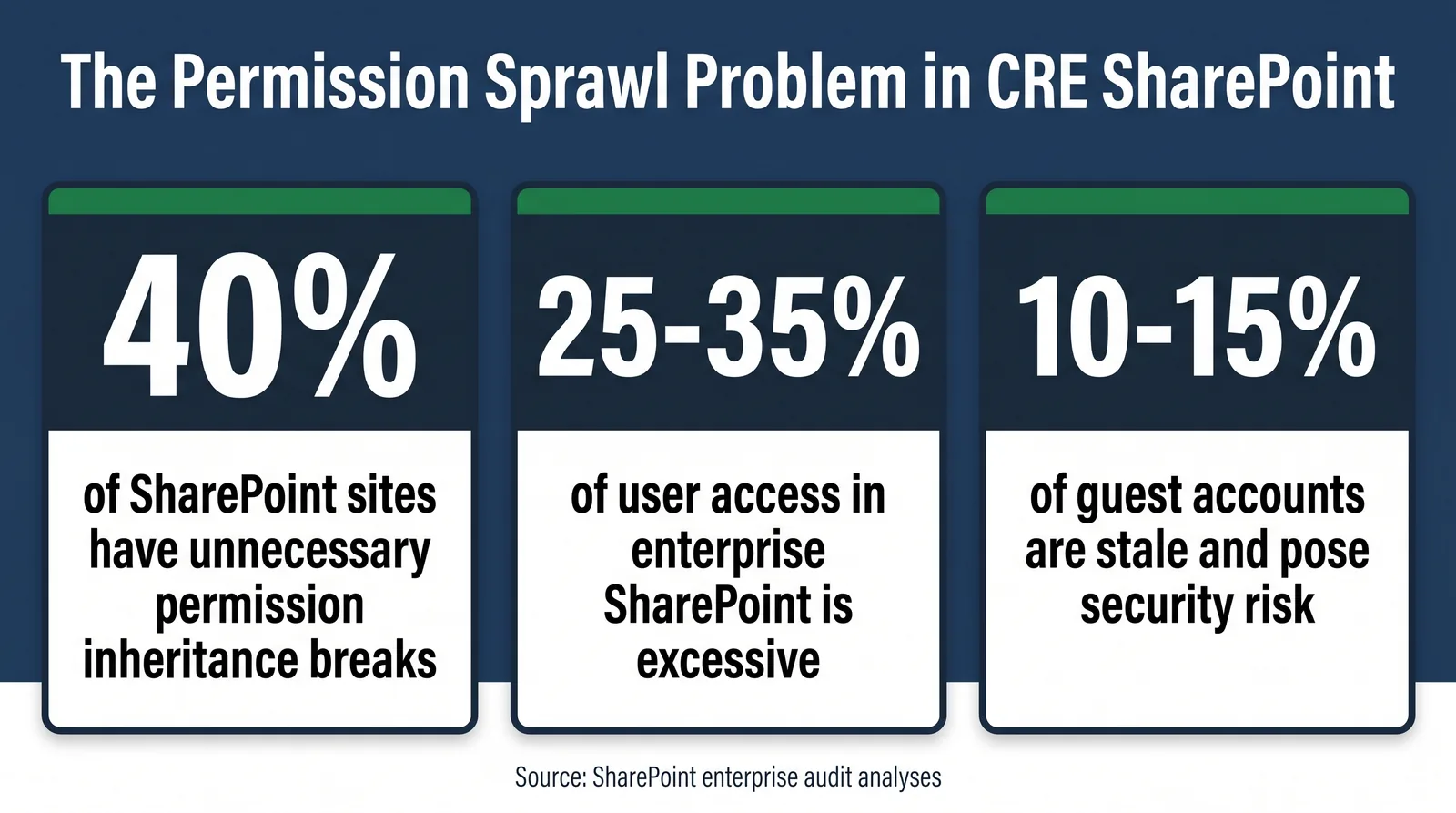
Most permission failures begin as shortcuts. Quick folder-level grants, stale access after role changes, and old broker guest accounts combine into permission sprawl that quietly compounds for years.
This guide walks through six practical steps to structure permissions correctly before sprawl sets in.
Key Takeaways
- Never assign access to individual users. Use Microsoft Entra security groups or SharePoint groups.
- Broken inheritance is a top driver of audit failures and should be controlled at site and library boundaries.
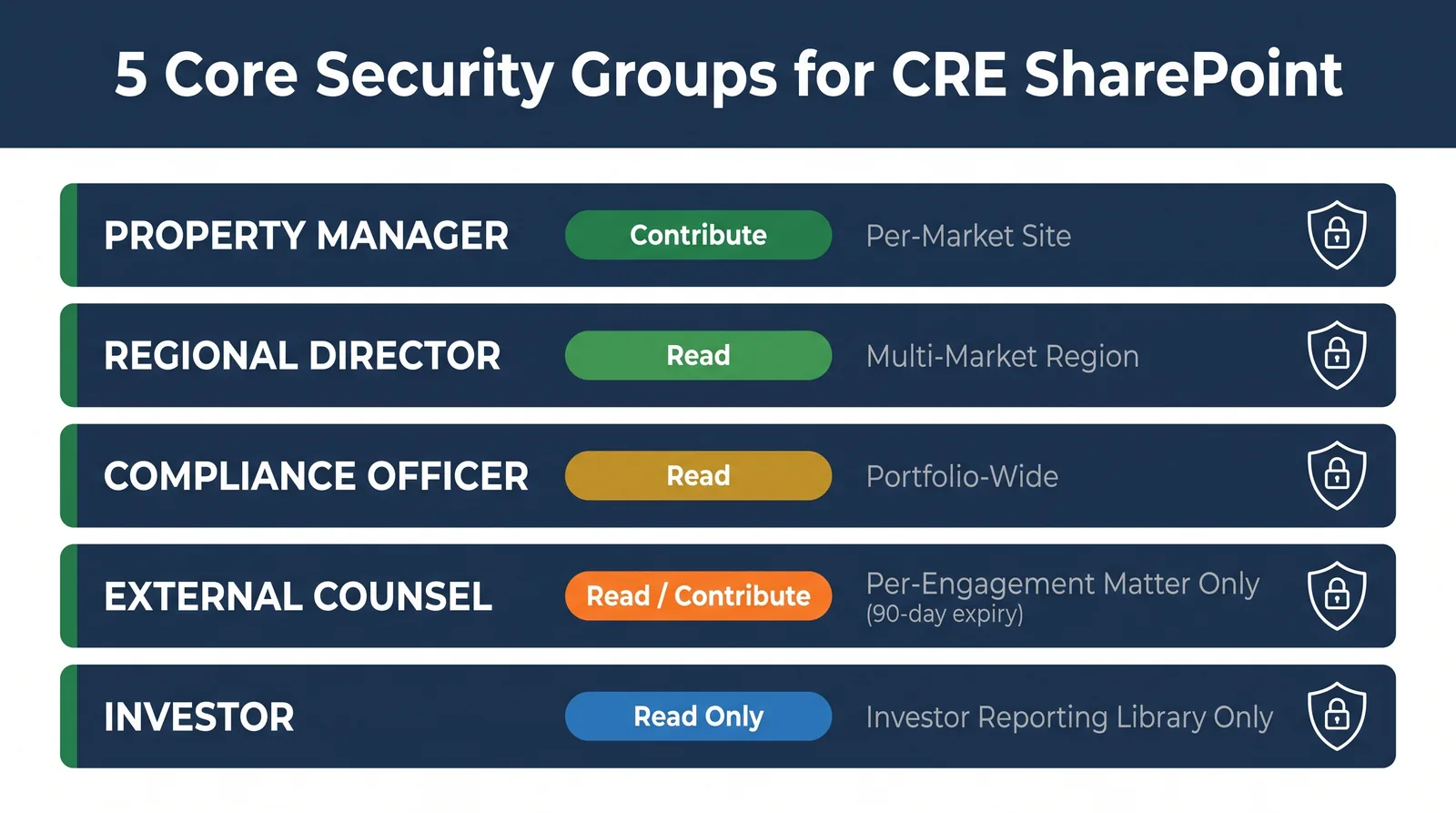
- Five core CRE roles usually cover most scenarios: property manager, regional director, compliance officer, external counsel, and investor.
- All guest access for brokers and attorneys should include automatic expiration.
- Quarterly reviews are sustainable when delegated to site owners and focused by IT on edge-case exceptions.
Step 1: Audit Your Current Permission State First
Before redesigning anything, establish a clear baseline.
- Export site collection permission reports and flag unique permission sites, libraries, and items.
- Pull guest account activity from Microsoft Entra ID and flag stale external accounts.
- Identify individual user assignments that should be replaced by group-based access.
- Map each market and property to its current site or site collection structure.
The objective is clarity: count inheritance breaks, stale guests, and direct grants before implementing structural changes.
Step 2: Design Your Site Structure Around Permission Boundaries
Your SharePoint structure determines how hard permissions are to govern.
- Hub site: enterprise-wide resources and portfolio-level reporting.
- Market sites: one site per market with market-scoped access control.
- Property libraries: standardized libraries within each market site.
Keep access control at site level whenever possible. Break inheritance at library level only for clearly sensitive content such as board or acquisition financials.
Step 3: Build Your Five Core CRE Security Groups
Create role groups in Microsoft Entra ID so they can be reused consistently across Microsoft 365.
Property Manager (per market): Contribute on market site and standard property libraries.
Regional Director (per region): Read across region; targeted Contribute where documented.
Compliance Officer: Portfolio-wide Read plus compliance reporting visibility.
External Counsel (per matter): Scoped guest access with expiry.
Investor: Read-only access to investor reporting content only.
Step 4: Apply the Principle of Least Privilege to Every Role
Least privilege means users receive only the minimum access required for their role.
- Default to Read when permission need is unclear.
- Reserve Full Control for approved administrators only.
- Separate admin groups from content-owner groups.
- Document every exception with reason, approver, and expiry.
In CRE environments, over-privileged access is not just operational debt. It is confidentiality and compliance risk.
Step 5: Set Up Secure External Sharing for Brokers and Attorneys
External sharing needs predictable controls under deal pressure.
- Set tenant sharing baseline to authenticated guests, not anonymous links.
- Require documented request and owner approval for each external access grant.
- Scope access to one library or one deal room, not entire sites.
- Apply expiration defaults: 30 days for brokers, 90 days for counsel, 180 days for investors.
For active acquisitions, use dedicated deal-room libraries with intentionally broken inheritance and post-close external access cleanup.
Step 6: Run Quarterly Access Reviews Without the All-Day Scramble
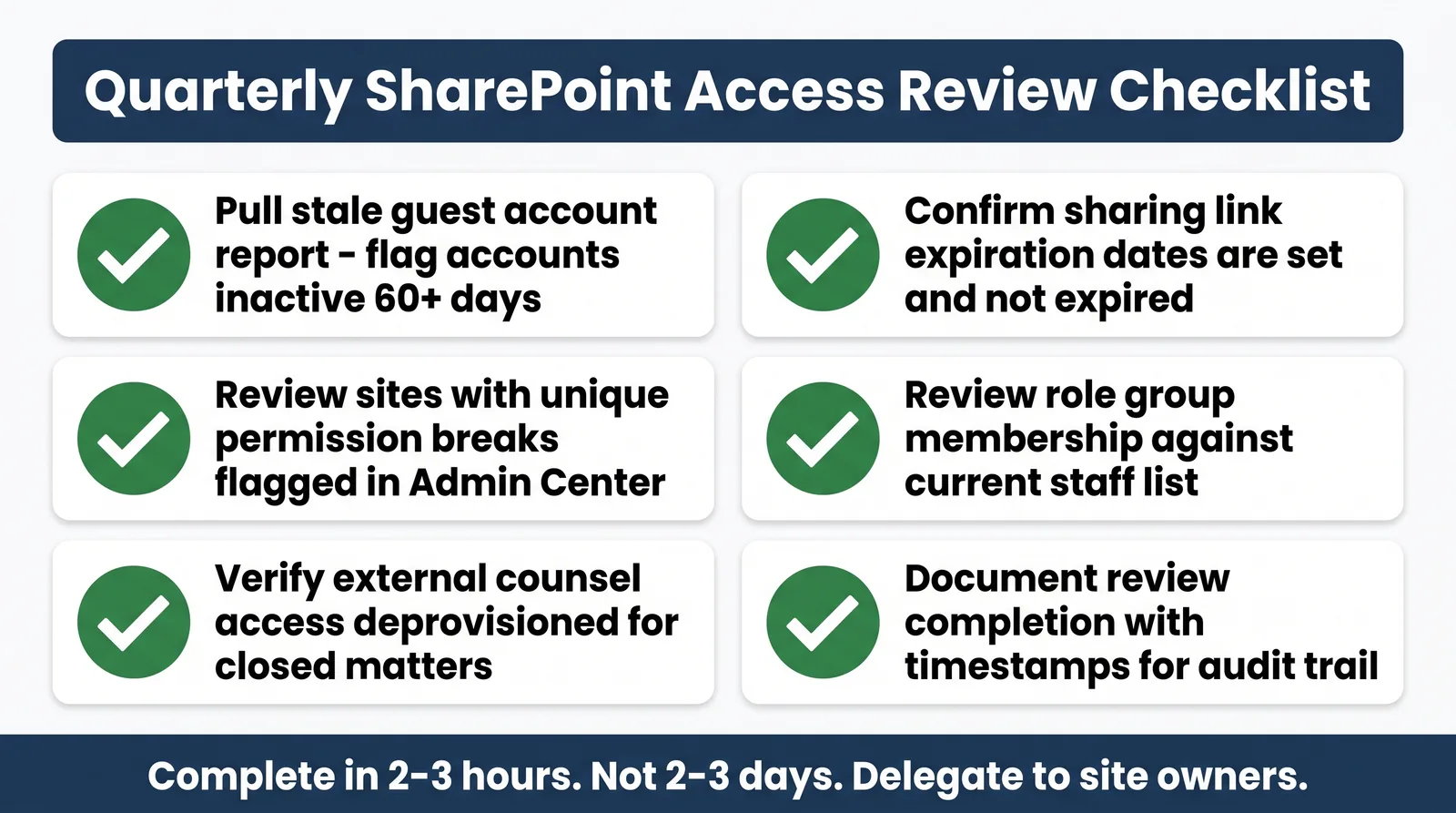
Quarterly reviews become manageable when delegated to site owners and focused by IT on high-risk edge cases.
IT should prioritize:
- Sites with heavy unique-permission counts
- Guest accounts older than policy limits
- Unexpected Full Control grants
- Anonymous sharing links and expired links
The Inheritance Trap: What Most CRE Teams Miss
SharePoint can create unique item permissions when users share files directly, even when those exceptions were never part of your intended model.
Two controls reduce this risk significantly:
- Restrict direct external sharing for non-owners and route requests through site owners.
- Run monthly scans for new unique permissions and reconcile them against approved requests.
Teams that treat the Share action as a governance control point keep permission maps significantly cleaner at portfolio scale.
Ready to put this permission model into practice?
ARC-Files adds SharePoint-native governance, including permission audits, provisioning templates, and access expiration controls, without migration away from Microsoft 365.
Frequently Asked Questions
How do I set up SharePoint security groups for a multi-market real estate portfolio?
Create role-based groups in Entra ID, map them to site-level access boundaries, and avoid individual user grants.
What does breaking permission inheritance mean, and why is it risky?
It creates unique permissions at site, library, folder, or file levels; unmanaged breaks quickly become hard to audit and control.
How often should a CRE firm run SharePoint access reviews?
Quarterly is a practical baseline, with monthly spot checks for high-risk libraries and active external sharing.
Can brokers and attorneys access only specific libraries without full site access?
Yes. Use Entra B2B guest accounts scoped to specific libraries with mandatory expiration dates.
How should investor access be structured?
Use a dedicated investor reporting library with isolated inheritance, read-only access, and download controls where needed.
Keep reading
Suggested Articles
Continue exploring document management, SharePoint governance, and compliance for commercial real estate teams.