SharePoint Document Governance Real Estate: A Framework That Actually Works
A practical six-pillar SharePoint governance framework for commercial real estate teams managing multi-market portfolios, covering architecture, permissions, metadata, retention, audit logging, and adoption.
Published August 2, 2026 · By ARC-Files · 15 min read
Published: August 2, 2026 | By ARC-Files
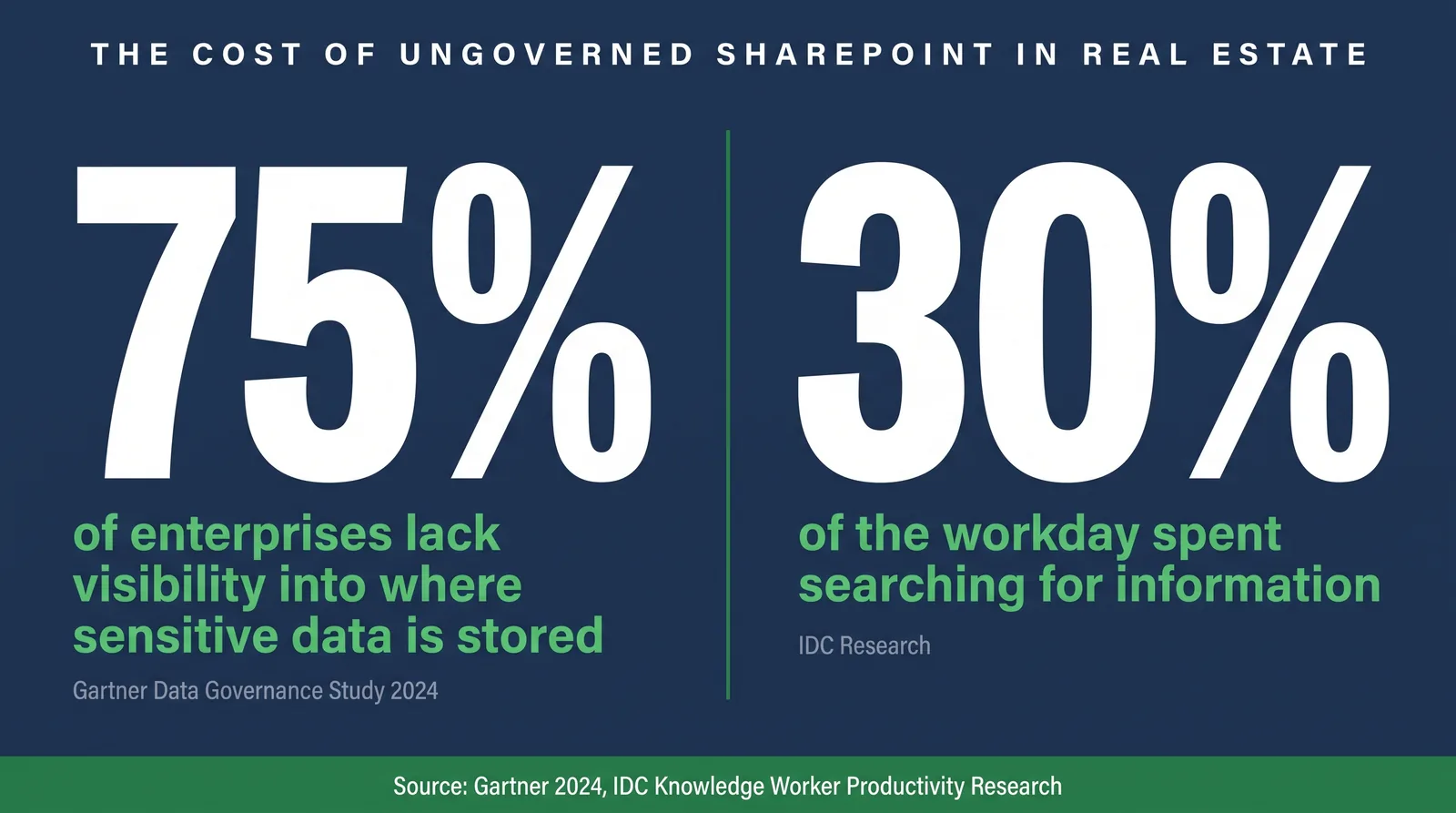
Most commercial real estate firms using Microsoft 365 share the same painful truth. Their SharePoint environment starts with good intentions and turns into a document mess within eighteen months.
Folder structures six levels deep. Multiple naming conventions for the same document type. And when someone asks for the executed lease on a specific asset, three people check three different places and still come up empty.
This guide covers a SharePoint governance framework CRE teams use to manage 50 to 500 or more properties. It explains why default SharePoint fails without a governance layer, and how high-performing portfolio teams design environments that actually hold under growth.
Key Takeaways
- Out-of-the-box SharePoint is not governed SharePoint. Without a governance layer, teams recreate legacy file-share chaos.
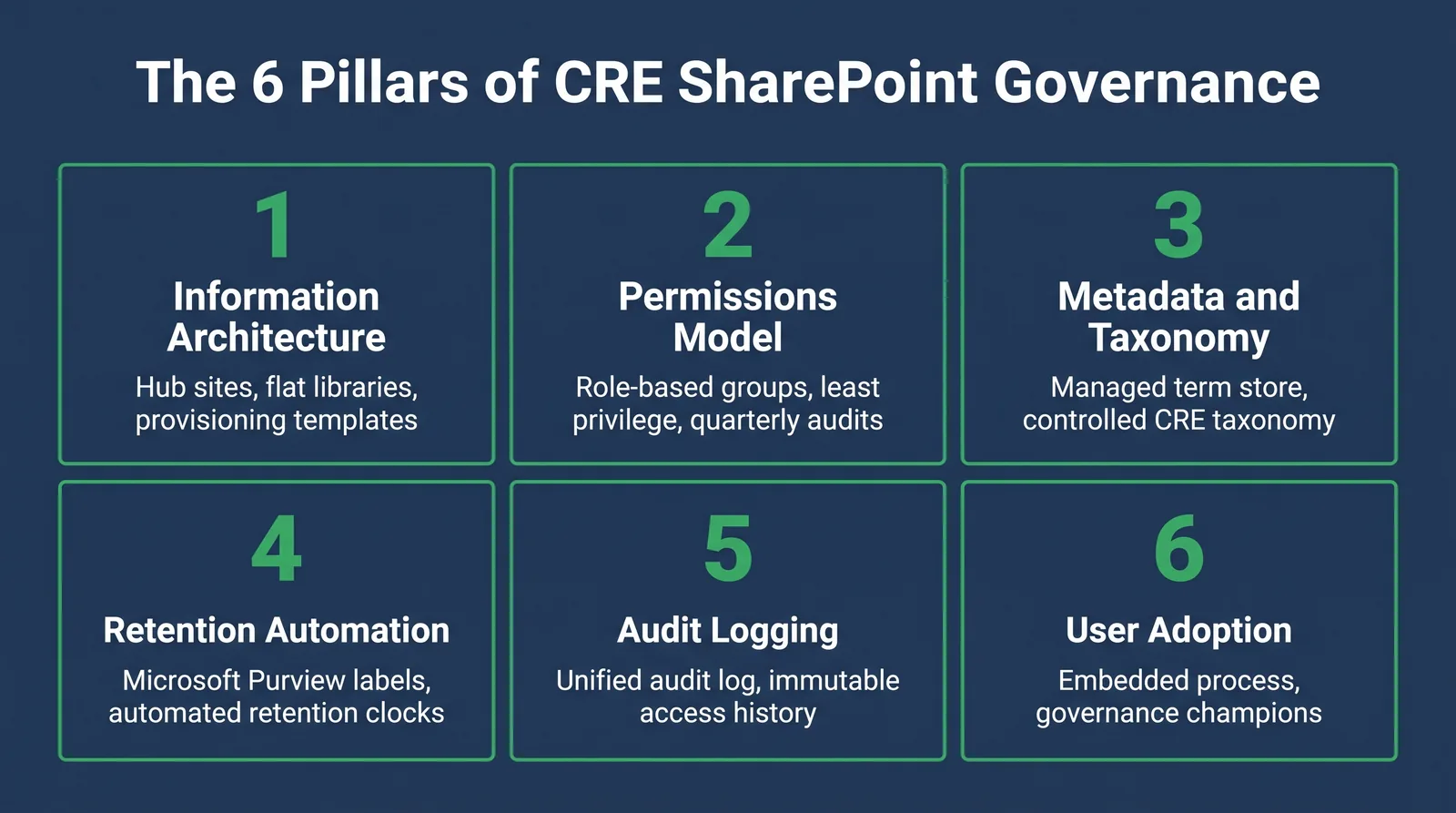
- Six pillars drive results: information architecture, permissions, metadata, retention automation, audit logging, and user adoption.
- Permission sprawl is one of the most underestimated CRE governance risks and grows quickly without quarterly review cycles.
- Retention must be automated through policy labels. Manual tracking across 100-plus properties fails within one lease cycle.
- Governance is an operational model, not an IT side project. It needs ownership from operations, compliance, and leadership.
Pillar 1: Information Architecture
Information architecture determines whether your document system scales or collapses. The strongest pattern is flat libraries with metadata doing the organizational work.
Instead of deep folder paths, classify documents with required fields such as market, property, document type, and status. This makes documents filterable, searchable, and reportable at portfolio scale.
For multi-market portfolios, combine enterprise hub governance with templated market and property sites, plus dedicated deal rooms for active transactions.
Pillar 2: Permissions Model
A mature permissions model does two things: people who need documents can get them quickly, and people who should not have access are blocked by design.
Use role-based security groups rather than individual grants. Core CRE roles commonly include:
- Property Manager with asset-scoped write access
- Regional Director with regional read and targeted deal-room write access
- Compliance Officer with broad read visibility
- External counsel and brokers with scoped, expiring guest access
- Investor audiences with report-only visibility
External sharing should always be time-limited, and access reviews should run quarterly in active CRE environments.
Pillar 3: Metadata and Taxonomy
Metadata is the engine of discoverability. Open-ended keywords drift quickly; managed metadata in the Term Store keeps classification stable.
A practical CRE taxonomy includes:
- Market Group, Market, and Submarket
- Property Type
- Document Type
- Deal Stage
- Document Status
Pair controlled terms with document content types such as Executed Lease, Amendment, Title Report, and Environmental Phase I so users are prompted for the right fields at upload.
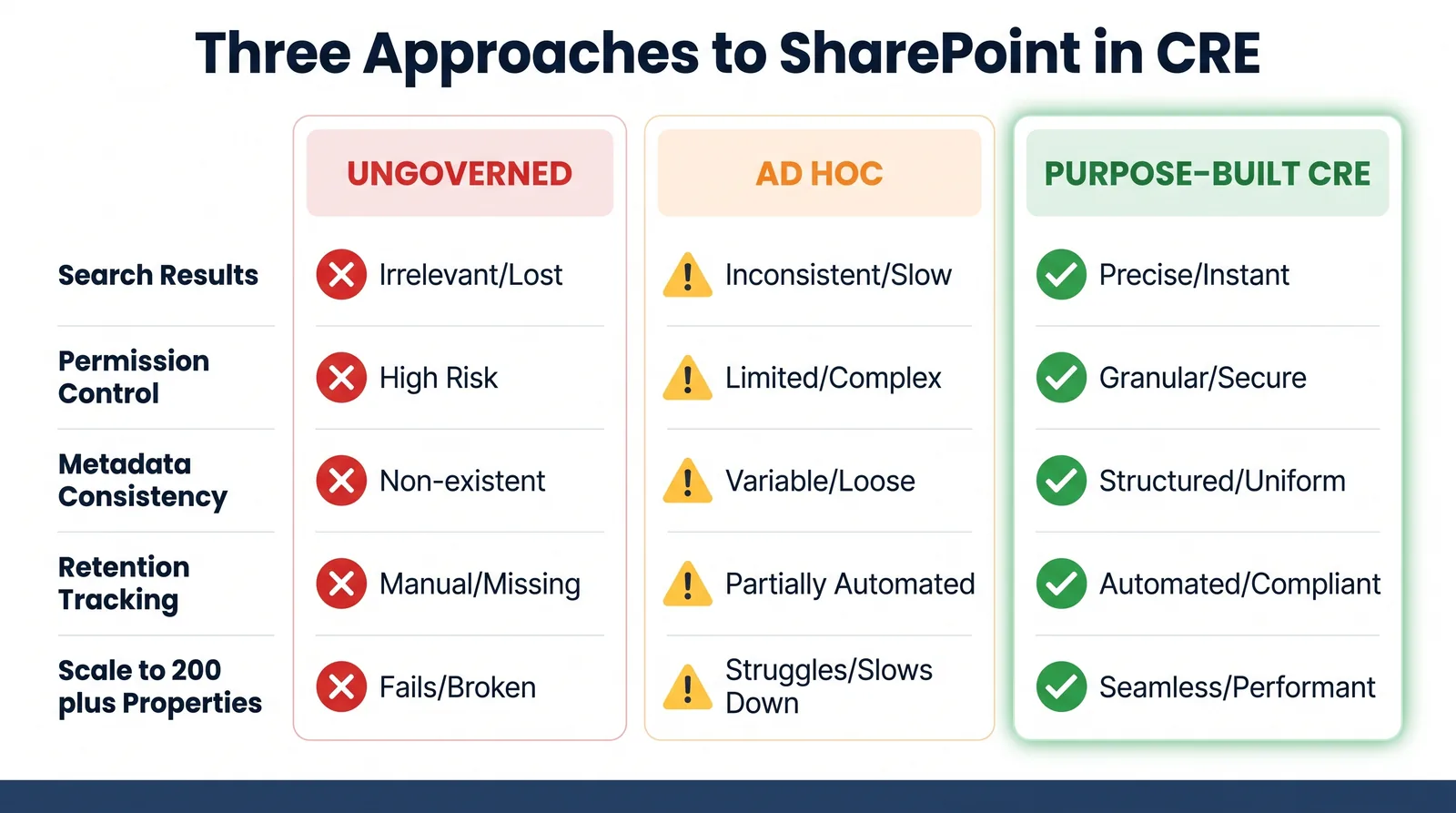
Governance in Action: A Comparison of Approaches
| Governance Dimension | Ungoverned SharePoint | Ad Hoc Governed SharePoint | Purpose-Built CRE Governance Framework |
|---|---|---|---|
| Information Architecture | Inconsistent by creator | Partially consistent | Template-enforced across assets |
| Permissions Model | Individual grants | Mixed usage | Role-based groups plus quarterly audit |
| Metadata and Taxonomy | None or free-form | Limited columns | Managed metadata with CRE hierarchy |
| Retention Policies | None or manual | Manual labels | Automated by content type |
| Audit Logging | Default logs only | Enabled, low usage | Workflow-linked audit evidence |
| User Adoption | No reinforcement | One-time training | Process-embedded behaviors |
| Scale to 200+ Properties | Breaks down | Degrades over time | Designed to maintain integrity |
Pillar 4: Retention Automation
Retention in CRE is a legal obligation, not an admin preference. Spreadsheets cannot maintain policy integrity across large portfolios.
Use Microsoft Purview retention labels mapped to content types so retention clocks start automatically at upload. This removes manual dependency and improves audit defensibility.
Common policy examples include lease term plus seven years, and permanent retention for core title artifacts.
Pillar 5: Audit Logging
Audit logs are evidence, not noise. Compliance-ready governance requires quick extraction of who accessed, changed, approved, and shared a specific document over a defined period.
Configure Unified Audit Log capture, retention, and evidence packaging as part of governance operations, not as an incident-time scramble.
Pillar 6: User Adoption
Governance fails when it is treated as a one-time technical rollout. Teams adopt workflows that are easiest, so governance must be embedded in those workflows.
- Enforce metadata at upload so behavior is system-driven.
- Use templates as guardrails for site and library setup.
- Report governance health to leadership monthly.
- Train users on tasks, not generic feature tours.
- Establish local champions in each market or function.
Governance Readiness Self-Assessment
Score each question as 0 (not in place), 1 (partially in place), or 2 (fully in place).
Information Architecture: consistent templates, formal provisioning, metadata-first organization.
Permissions Model: group-based access, defined role model, expiring external links.
Metadata and Taxonomy: controlled term store, content types, high metadata completeness.
Retention Automation: label coverage, automatic trigger, disposition workflow.
Audit Logging: configured event capture, rapid document access history retrieval, extended retention.
User Adoption: accountable owner, workflow training, leadership visibility.
Scoring bands: 30-36 mature, 20-29 developing, 10-19 early-stage, 0-9 ungoverned.
How ARC-Files Structures Governance for CRE Enterprises
High-performing CRE teams usually keep Microsoft 365 and add a governance layer instead of migrating to a new platform. ARC-Files follows that model.
ARC-Files applies CRE templates, managed taxonomy, centralized search, and automated retention to existing SharePoint environments. Files stay in place while governance quality changes immediately.
If your environment feels more like a document landfill than a management system, schedule a conversation with ARC-Files.
Frequently Asked Questions
What does SharePoint document governance mean for a CRE firm?
It defines how documents are created, stored, classified, accessed, retained, and deleted across the portfolio using repeatable controls and ownership.
Why does out-of-the-box SharePoint fail commercial real estate teams?
Because the platform is configurable but not prescriptive. Without governance, teams produce inconsistent sites, weak permissions, and unreliable search.
How should permissions be structured in a CRE SharePoint environment?
Use role-based security groups, avoid individual grants, scope external access tightly, and review access quarterly.
What is the right metadata taxonomy for commercial real estate documents in SharePoint?
Use managed metadata for market hierarchy, property type, document type, deal stage, and status so search, reporting, and retention all stay consistent.
How do retention policies work in SharePoint for real estate compliance?
Retention labels in Microsoft Purview map to content types or libraries and start policy clocks automatically at classification time.
How many properties can a firm manage before governance becomes essential?
In practice, governance becomes critical around 15 to 20 properties and mandatory for reliable operations in portfolios above 50.
The Bottom Line on SharePoint Governance for CRE
SharePoint governance for CRE is an ongoing operational practice. The six pillars only work when implemented as one system with ownership, measurement, and reinforcement.
Organizations that treat governance as infrastructure, not a one-time IT task, are the ones that preserve search quality, compliance readiness, and execution speed as portfolios scale.
Keep reading
Suggested Articles
Continue exploring document management, SharePoint governance, and compliance for commercial real estate teams.