SharePoint Metadata Taxonomy Real Estate: A Step-by-Step Guide
A practical implementation guide for CRE teams to build a managed SharePoint metadata taxonomy with term store hierarchy, content-type enforcement, and phased rollout governance.
Published August 4, 2026 · By ARC-Files · 16 min read
Published: August 4, 2026 | By ARC-Files
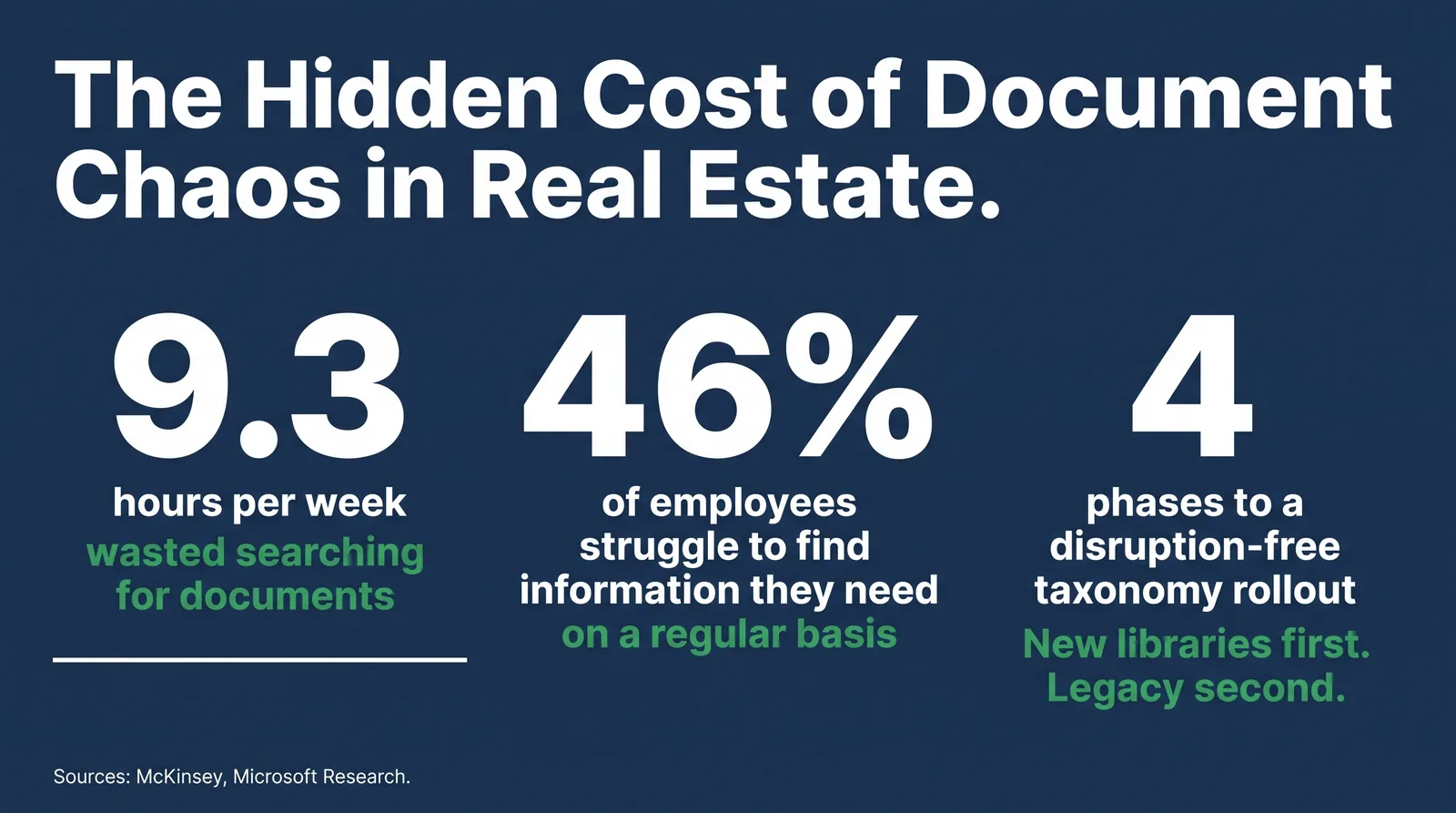
Knowledge workers spend about 1.8 hours every day searching for documents. For commercial real estate teams, that number is often worse when leases, diligence files, and compliance records are spread across inconsistent folder structures.
A well-built SharePoint metadata taxonomy fixes this at the structural level. This is not a naming convention tweak. It is a repeatable system for classifying documents by market, property, type, and lifecycle stage so retrieval becomes fast and reliable.
This guide walks real estate IT and operations teams through taxonomy design, term store setup, enforcement via content types, and phased rollout without disrupting active libraries.
Key Takeaways
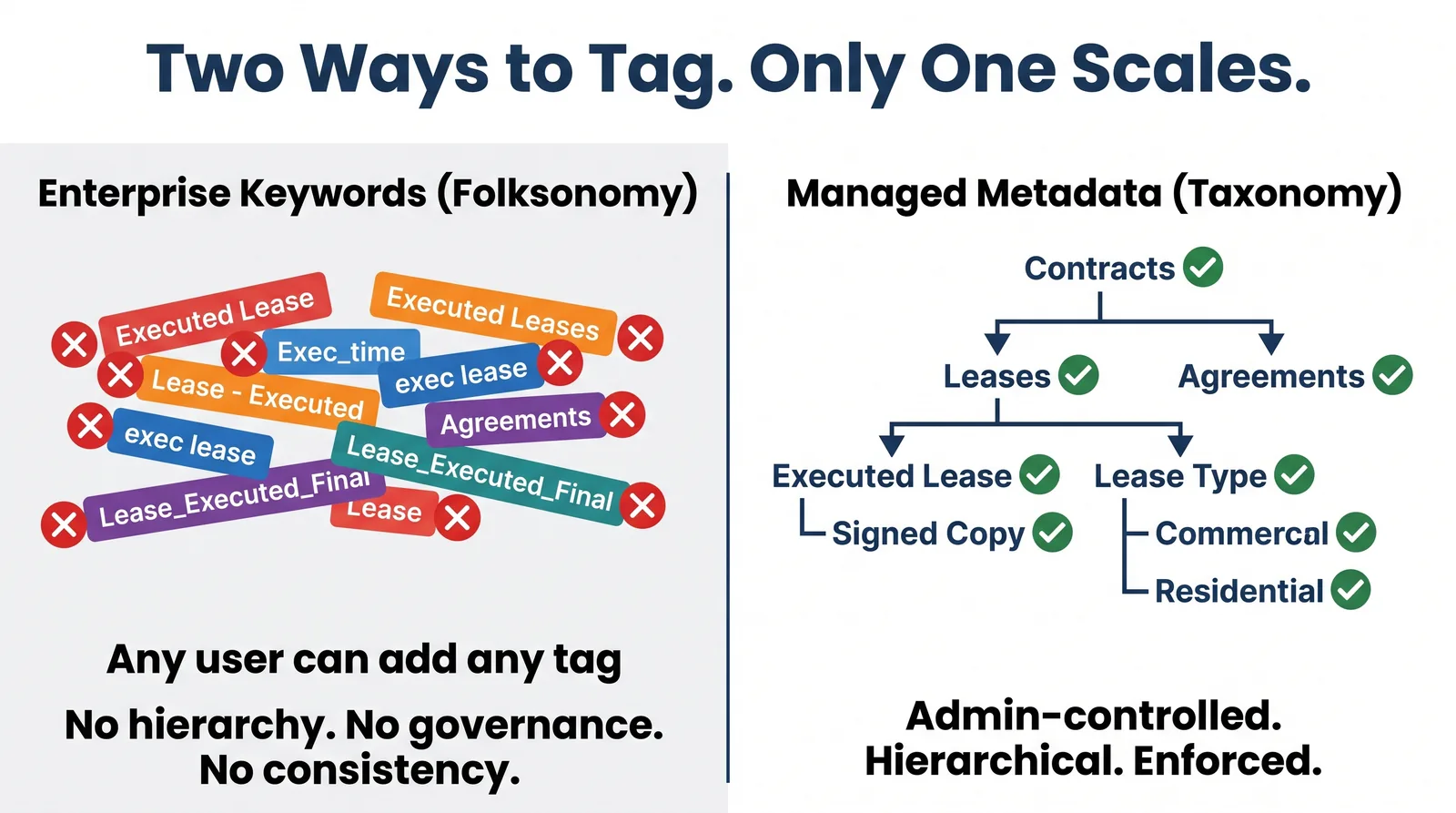
- Managed metadata scales across enterprise portfolios; free-form enterprise keywords do not.
- A five-level hierarchy keeps classification rich enough for compliance while staying usable in daily operations.
- Content types are the enforcement layer that prevent untagged uploads from eroding taxonomy quality.
- Phased rollout and metadata defaults reduce disruption and user tagging burden.
Why Folders Break Down at Portfolio Scale
Folder navigation assumes users already know where a document lives. That assumption fails quickly once portfolios span multiple markets, legal entities, and transaction stages.
The result is duplicated files, conflicting versions, and slow retrieval during audits and closings. Metadata changes the retrieval model from location-based search to meaning-based search.
In a metadata-first environment, one document can be classified by market, property, document type, and deal stage simultaneously, making each tag a searchable path to the same source file.
Enterprise Keywords vs. Managed Metadata
Enterprise keywords are user-generated and flat. Managed metadata is governed and structured in the SharePoint Term Store. For large real estate environments, managed metadata is the operational baseline.
| Feature | Enterprise Keywords | Managed Metadata |
|---|---|---|
| Term control | Any user | Designated admins |
| Structure | Flat | Hierarchical |
| Consistency | Low | High |
| Cross-site reuse | Limited | Tenant-wide |
| Best fit | Small teams | Enterprise portfolios |
Step 1: Audit Before You Design
- Inventory active site collections and high-volume libraries.
- Catalog real document types and current naming patterns.
- Interview search-heavy roles: property ops, asset managers, and compliance.
- Capture compliance and reporting requirements that taxonomy must support.
The output should be a one-page taxonomy brief defining hierarchy levels, owners, and core use cases.
Step 2: Design the Term Hierarchy
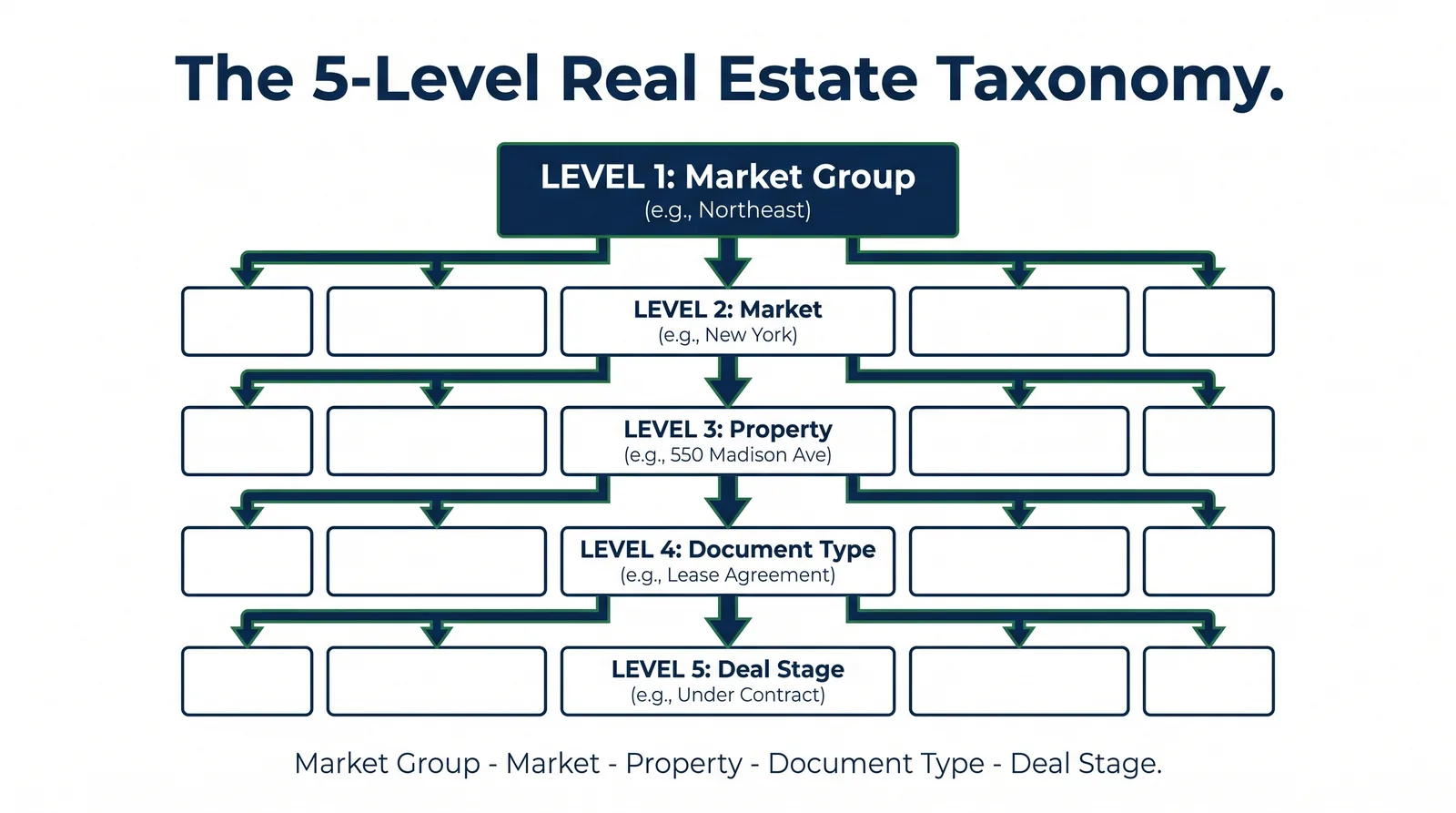
A proven five-level structure for CRE is Market Group, Market, Property, Document Type, and Deal Stage. Keep terms stable and deprecate terms when needed instead of deleting them.
- Use CRM-aligned property naming to preserve interoperability.
- Keep document-type terms evergreen and business-readable.
- Avoid time-based term labels that age out quickly.
Step 3: Build the Term Store
- Open Microsoft 365 admin, then SharePoint Content Services and Term Store.
- Create a core term group for real estate portfolio taxonomy.
- Create separate term sets for market hierarchy, document type, deal stage, and status.
- Add terms with synonyms where appropriate.
- Assign clear admin and contributor ownership.
Step 4: Create Content Types and Metadata Columns
Term stores define vocabulary, but content types enforce usage. Build managed metadata columns and attach them to content types for lease, diligence, and financial documents.
- Require Property Location, Document Type, Deal Stage, and Document Status.
- Publish content types from a hub so all sites receive consistent schema.
- Turn on content types in active libraries so tagging becomes part of upload flow.
Step 5: Enable Metadata Inheritance and Defaults
Use library-level defaults so contextual metadata is prefilled. A lease document uploaded in a specific property library should already carry that property tag before user input.
This lowers user effort and increases classification consistency, which directly improves search reliability across portfolio-wide reporting.
Step 6: Roll Out Without Disruption
Run rollout in phases: build foundation, pilot in select properties, expand to active portfolio libraries, then remediate legacy archives.
Sample Term Hierarchy Template
| Level | Term Set | Examples |
|---|---|---|
| 1 | Market Group | Northeast, Southeast, Midwest |
| 2 | Market | New York, Atlanta, Dallas-Fort Worth |
| 3 | Property | CRM-aligned asset names |
| 4 | Document Type | Lease Agreement, Appraisal, Survey |
| 5 | Deal Stage | Pre-Acquisition, Under Contract, Closed |
How ARC-Files Helps With Metadata Governance
ARC-Files layers governance onto SharePoint Online with metadata enforcement, taxonomy compliance checks, retention triggers, and centralized search controls without forcing a platform migration.
See how ARC-Files handles metadata governance for enterprise real estate portfolios.
Frequently Asked Questions
What is a SharePoint metadata taxonomy and why does real estate need one?
It is a controlled classification framework for tagging documents consistently across sites and libraries, enabling reliable retrieval, reporting, and compliance workflows at portfolio scale.
What is the difference between enterprise keywords and managed metadata?
Enterprise keywords are free-form and inconsistent at scale. Managed metadata is governed in term sets, producing stable values for search and reporting.
How deep should a real estate SharePoint term hierarchy be?
Three to five levels is practical. A five-level model typically covers market, property, document type, and transaction lifecycle needs without creating user friction.
Can managed metadata be added to existing libraries without disruption?
Yes. Add columns first, remediate backlog values in batches, then turn required enforcement on after baseline tagging quality is achieved.
How do content types relate to taxonomy?
Content types connect taxonomy to actual uploads by requiring the right metadata fields based on document category and operational context.
How long does a portfolio taxonomy rollout usually take?
Design and build are commonly two to four weeks, pilot two to three weeks, and broader rollout six to eight weeks depending on legacy cleanup scope.
Getting the Taxonomy Right the First Time
Strong taxonomy implementation combines audit-first planning, managed term sets, content-type enforcement, metadata defaults, and phased rollout. When done correctly, retrieval shifts from long folder hunts to fast, predictable search.
- Start with document and workflow audit.
- Use managed metadata as the core model.
- Enforce via content types and required fields.
- Use defaults to reduce user burden.
- Assign a business-side taxonomy owner.
Book a demo to see ARC-Files governance controls in a live SharePoint environment.
Keep reading
Suggested Articles
Continue exploring document management, SharePoint governance, and compliance for commercial real estate teams.