How to Fix a Metadata Mess: SharePoint Metadata Remediation for Real Estate Documents
A practical four-phase guide for real estate teams to remediate SharePoint metadata at scale using audit, triage, bulk-tagging, and governance controls.
Published August 5, 2026 · By ARC-Files · 17 min read
Published: August 5, 2026 | By ARC-Files
SharePoint metadata remediation for real estate documents is one of the most common challenges operations teams inherit at scale. Thousands of lease files, due diligence records, and compliance documents exist, but classification quality is inconsistent and search is slow.
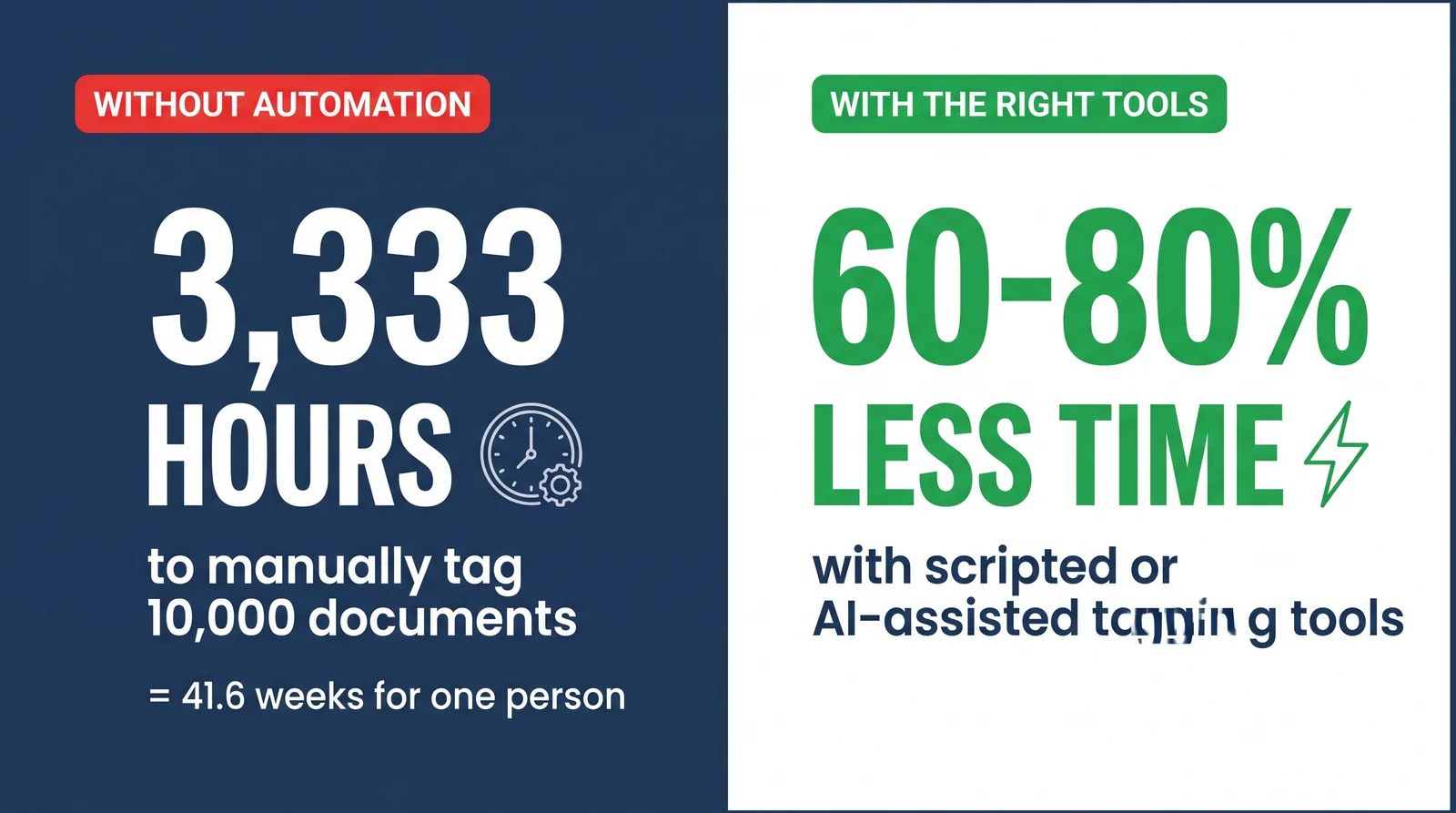
At 20 minutes per file, manually tagging 10,000 documents can consume more than 3,000 hours. The practical path is phased remediation with automation, prioritization, and governance controls that prevent the same drift from returning.
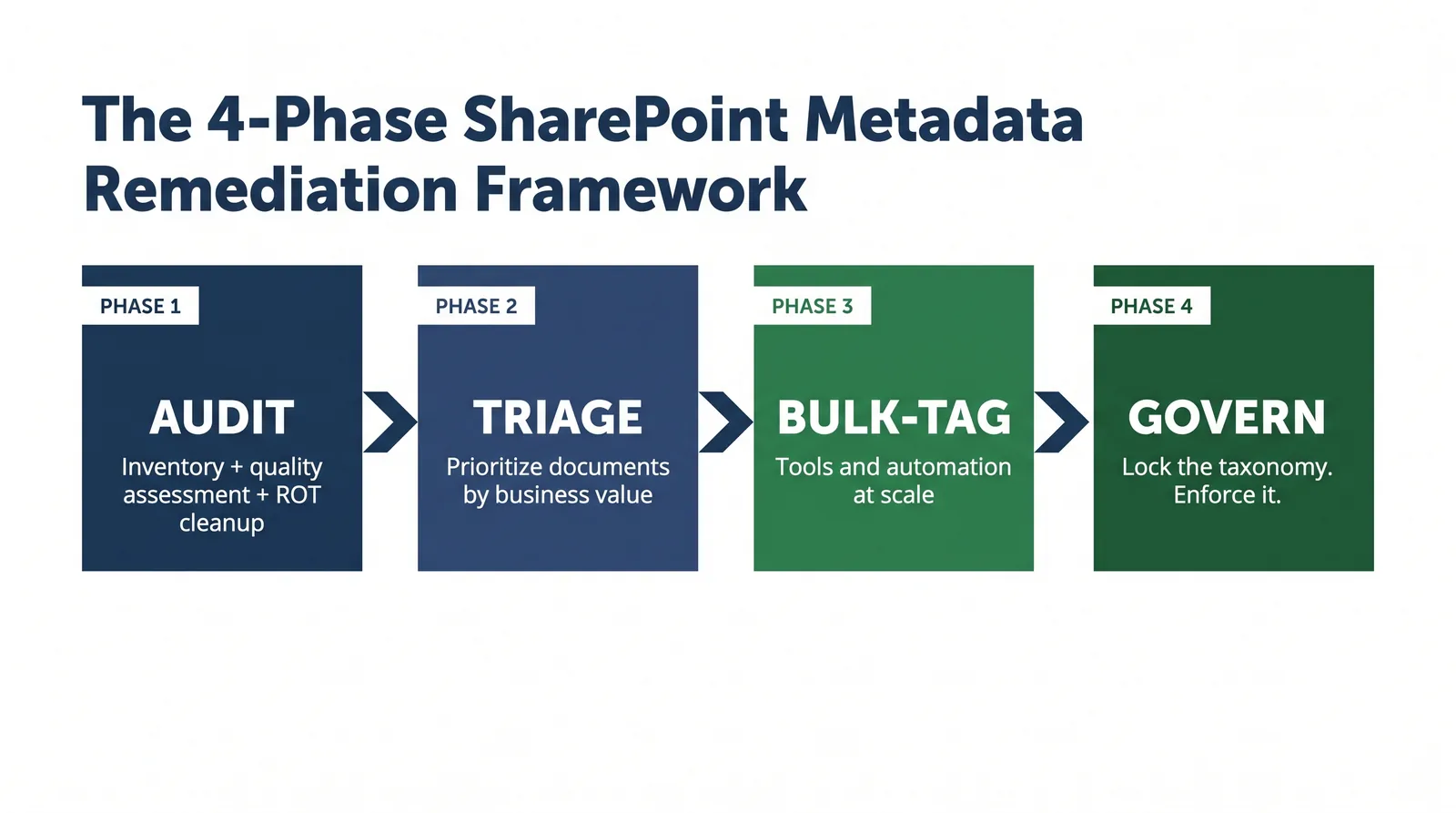
This guide breaks remediation into four phases: Audit, Triage, Bulk-Tag, and Govern, plus a decision framework for start-fresh versus remediate-in-place strategies.
Key Takeaways
- At 10,000 documents, manual remediation effort is too high without automation and batch workflows.
- Not every legacy file requires full remediation. Prioritize active and compliance-critical records first.
- Lock taxonomy and upload governance before bulk tagging to avoid recreating classification drift.
- Best practice is hybrid: remediate active documents, archive low-value legacy content, govern all net-new uploads.
Should You Remediate or Start Fresh?
The practical answer for most CRE teams is both: remediate active, high-value records and archive low-value historical material with minimal tags. Leaving legacy data unmanaged in a parallel library usually creates permanent retrieval fragmentation.
- Active leases, open transactions, and current insurance documentation should be remediated.
- Old correspondence and retired deal files should be archived with simplified metadata.
- Net-new uploads should be governed at upload using required metadata and content types.
Phase 1: Audit - Understand the Scope
Run a full inventory and metadata quality assessment before changing any values at scale.
- Export document inventory with file and metadata fields.
- Assess completeness, consistency, accuracy, and currency.
- Identify ROT content (redundant, obsolete, trivial) to remove from remediation scope.
- Document taxonomy gaps and mapping rules for bulk operations.
Phase 2: Triage - Prioritize High-Value Documents First
Triage converts scope into action by ranking document categories according to current business impact and compliance exposure.
| Category | Impact | Action |
|---|---|---|
| Active executed leases | High | Tier 1 full remediation |
| Current insurance certificates | High | Tier 1 full remediation |
| Closed transactions | Medium | Archive with minimal tags |
| Duplicate copies | None | Delete |
Phase 3: Bulk-Tag - Update Metadata at Volume
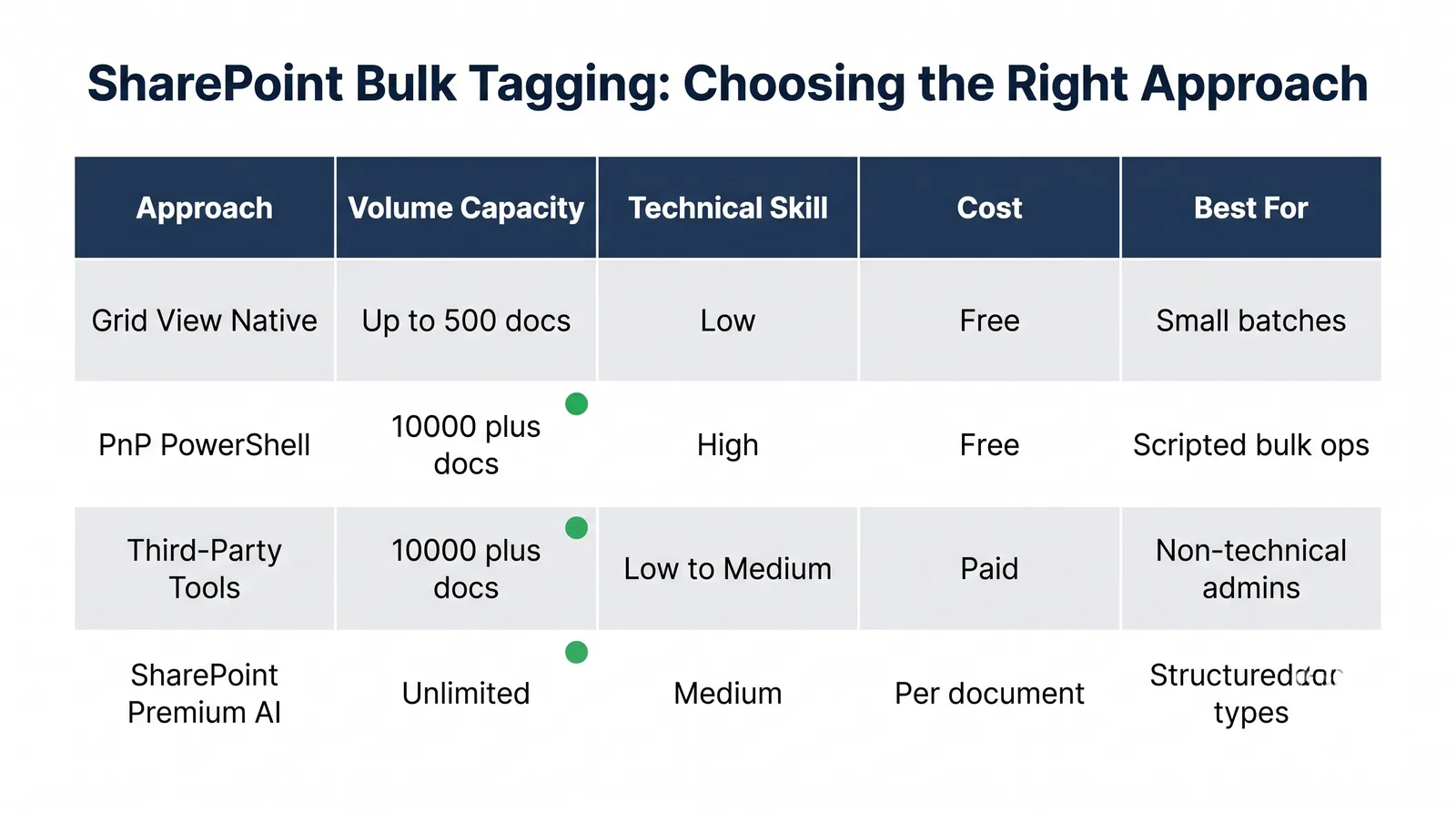
Use a mixed execution model based on volume, technical capability, and document consistency. Avoid one-file-at-a-time tagging for large libraries.
- Grid view for small consistent batches.
- PnP PowerShell for high-volume scripted updates.
- Third-party tools for UI-led batch operations.
- AI-assisted tagging for structured document classes after taxonomy lock.
Phase 4: Govern - Lock the Taxonomy
Remediation only lasts when governance is enforced for new uploads. Lock term sets, require metadata at upload, and run monthly quality checks.
- Use term-store-backed columns for market, property, type, and status.
- Enforce required fields through content types.
- Assign ownership for term changes and duplicate cleanup.
- Track blank required fields and taxonomy drift monthly.
Three Mistakes That Make Remediation Fail
- Bulk tagging before taxonomy definitions are finalized.
- Treating all legacy files with the same remediation priority.
- Delaying governance until after bulk cleanup completes.
The most successful programs make governance operational before the first large remediation batch is applied.
Frequently Asked Questions
What is SharePoint metadata remediation for real estate documents?
It is the process of auditing, correcting, and standardizing metadata on existing real estate files so they become searchable, reportable, and compliance-ready.
How do you bulk tag without losing history?
Use controlled tooling such as PnP PowerShell or enterprise batch tools that update metadata while preserving modification history and version integrity.
Remediate legacy content or build a new library?
For most teams, remediate active content and archive low-value historical records, then enforce governance immediately for all net-new uploads.
What Microsoft tools support large metadata updates?
Teams usually combine SharePoint grid view for small sets, PnP PowerShell for scale, and SharePoint Premium AI for classification of structured document classes.
How do we prevent metadata drift after remediation?
Lock term sets, enforce required columns through content types, and monitor metadata quality routinely to catch drift before it compounds.
What does remediation cost for 10,000 files?
Manual-only approaches are expensive in staff hours; blended models with automation and targeted review substantially reduce cost and timeline.
Fixing Metadata Is a Project. Preventing the Next Mess Is a System.
A structured Audit-Triage-Bulk-Tag-Govern program gives operations teams a repeatable method for turning legacy document libraries into governed, searchable systems.
Keep reading
Suggested Articles
Continue exploring document management, SharePoint governance, and compliance for commercial real estate teams.